Now in beta· free while we build
Build with AI. Run it on your own servers.
airepeat sets up servers with Coolify, builds your sites with AI and launches 350+ open-source services, all on accounts you own. Bring your own keys; one click launches the whole stack.
Free while in beta. Accounts are approved by hand. Managed hosting is coming soon.
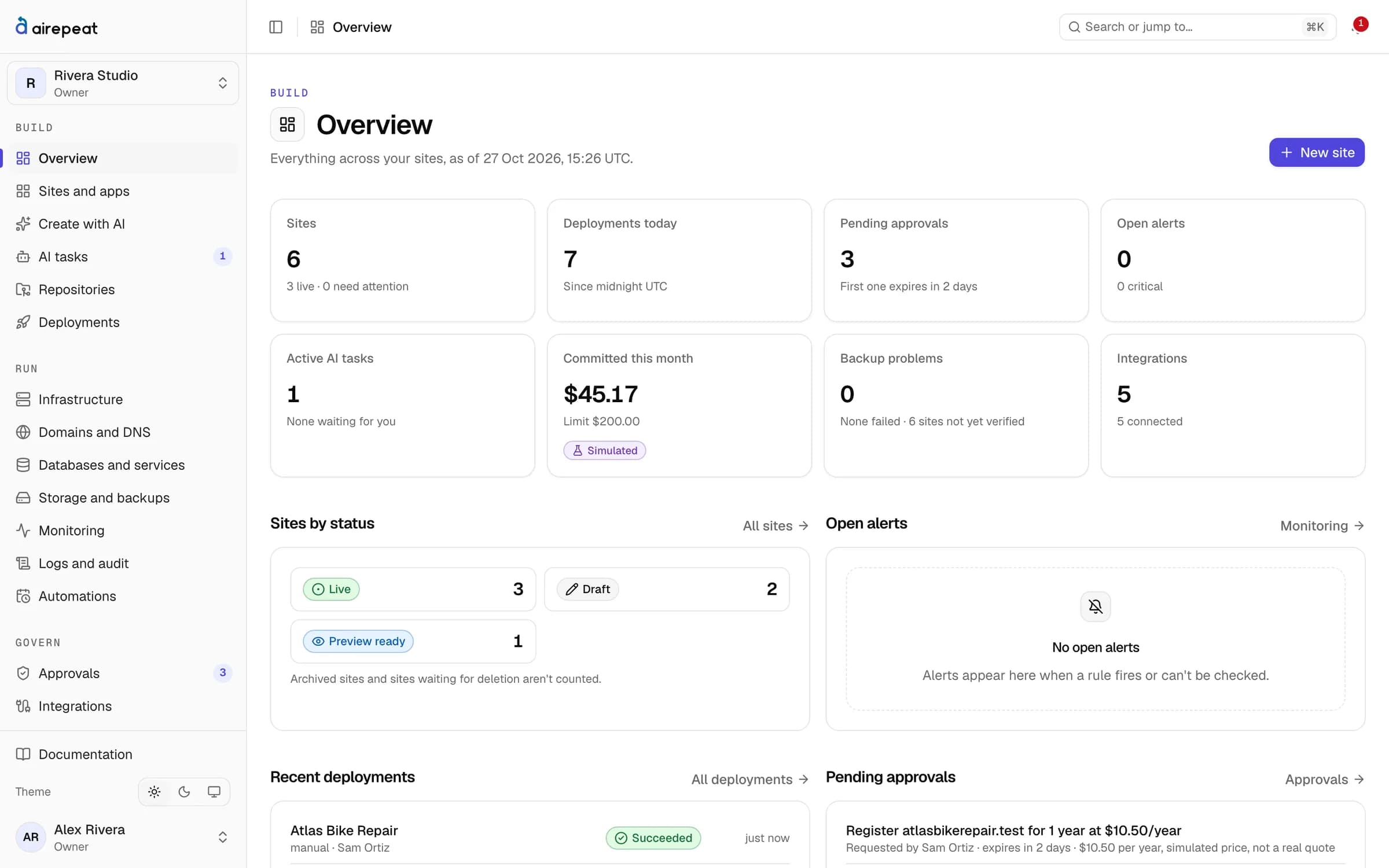
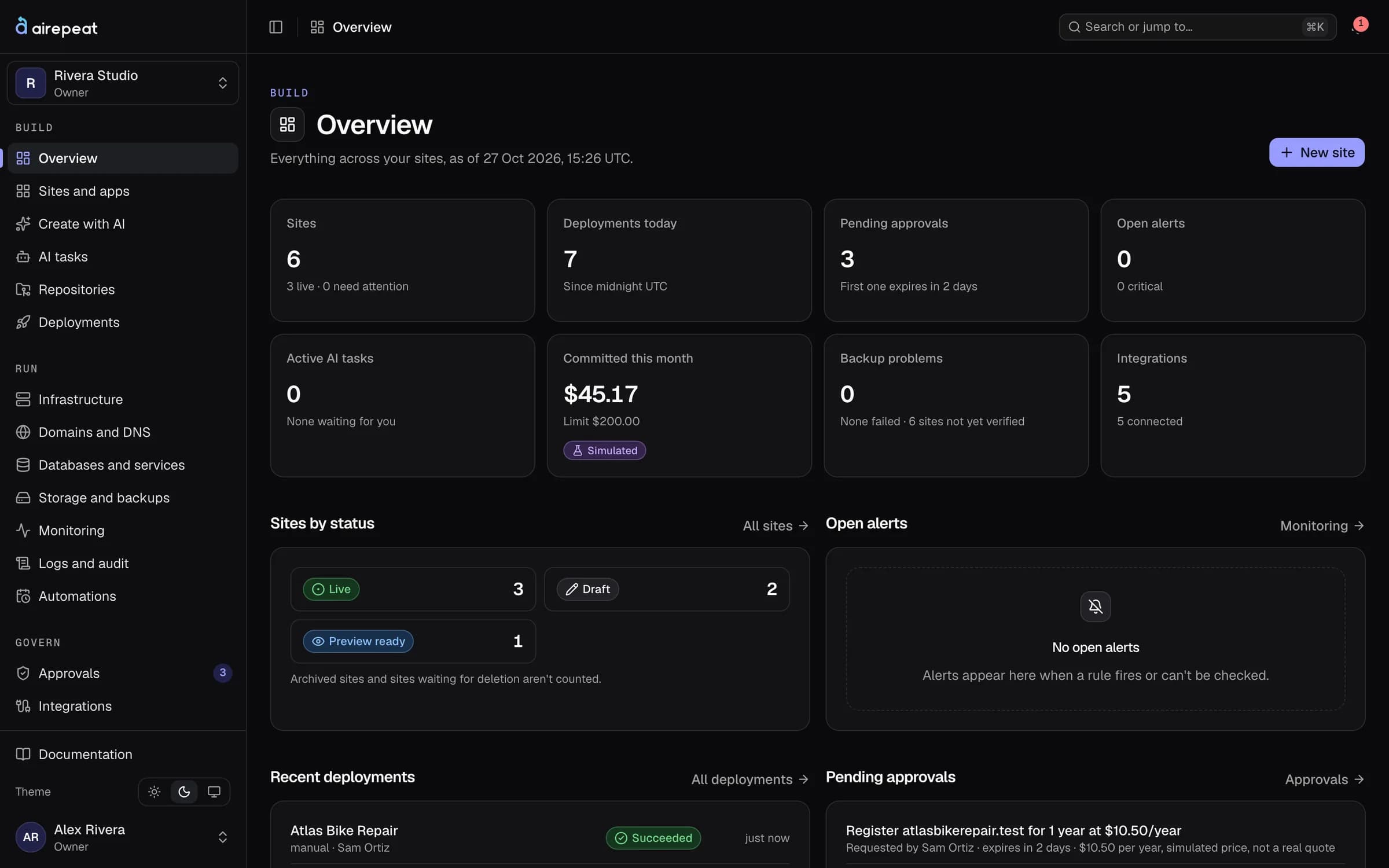
Example of Create with AI: you describe a site, the planner proposes a stack, its pages and a cost limit, and you choose Build when you are happy with the plan.
Works with the accounts you already have
- Hetzner
- Coolify
- GitHub
- Cloudflare
- DigitalOcean (in testing)
- Claude
- OpenAI (in testing)
- Gemini (in testing)
- DeepSeek (in testing)
What you get
Everything from idea to running site
One dashboard for building, deploying and running websites and self-hosted services, on infrastructure you own.
Describe it. Review the plan. Build.
The AI planner drafts the stack and pages, writes the code into your GitHub repository and opens a preview for you to check. Every task has a cost limit.
















352 open-source services
Analytics, databases, uptime monitors, CMSs, chat, automation and more, each one click away on your own server. Risky ones ask you to confirm first.
One-click stack
A server on your Hetzner account, Coolify installed and connected, your domain pointed. DigitalOcean is in testing.
Your keys, encrypted
Keys are encrypted with AES-256-GCM, never shown again, and audited by name only.
Nothing paid or destructive without you
Spending money or deleting things waits for an owner's approval, bound to the exact resource and parameters.
Know when something is wrong
Health checks after every launch, uptime, server CPU, disk and network, and alert rules that notify you.
Stack launch
Launch your stack in one click
From an empty account to a server running Coolify on your own domain. Hetzner today; DigitalOcean is in testing.
01
Keys
Add your Hetzner, Cloudflare, GitHub and AI keys. They go straight into the encrypted vault.
02
Server
Pick a region and size. The server is bought on your own account once you approve.
03
Coolify
Coolify is installed and set up over SSH, so its API token never crosses the internet in clear.
04
Domain
Your domain must be on Cloudflare. coolify.yourdomain points at the new server, and the connection is added over HTTPS.
05
First site
Describe a site or pick a service, check the preview, and launch it on your domain.
Service catalogue
352 open-source services, one click each
Coolify's whole one-click catalogue, with a web address for each service and clear warnings for the ones that need extra care.
- Productivity72
- Developer tools29
- Media27
- AI26
- Monitoring20
- Chat and helpdesk20
- CMS19
- Security and auth18
- Backend17
- Automation15
- Storage15
- Git and CI15
























How it works
From sign-up to a live site in three steps
- Step 01
Connect your accounts
GitHub, a server provider, Cloudflare and an AI key. Keys go straight into an encrypted vault.
- Step 02
Launch your stack
One click creates a server with Coolify, connected and ready for sites and services.
- Step 03
Build and ship
Describe a site or pick a service. Review the preview, approve, and it goes live on your domain.
Security
Safe by default
airepeat touches your servers, domains and money, so it is built to ask first and remember everything.
Encrypted key vault
Keys you add are encrypted with AES-256-GCM, never shown again and audited by name only.
Isolated workspaces
Every query is scoped to your workspace. Requests to addresses you choose are pinned to public IPs.
Approvals
Paid or destructive changes wait for an owner, bound to the exact resource and parameters.
Audit log
Every change is recorded with who made it and when, so nothing happens silently.
Pricing
Free while in beta
Bring your own accounts and pay your providers directly. Managed hosting comes later, for those who would rather not run servers.
Bring your own
Available nowFreewhile in beta
- Your servers, domains, GitHub and AI key
- AI builds, the service catalogue and stack launch
- Approvals, monitoring and the audit log
- You pay your providers directly
Managed
Coming soonSoon
Rather not run servers? We will host your sites on servers we run, for a monthly fee. Plans and prices are not set yet.
What does airepeat cost?
Do I need to know how to run a server?
Where does my code live?
Which AI models can I use?
Is airepeat part of Coolify?
Can I sign up today?
Your servers. Your keys. Sites built with AI.
Free while in beta. You pay your providers directly and keep everything if you leave.